

Download Meebo Firefox Add‑on – instant messaging, chat, browser integration
Overview
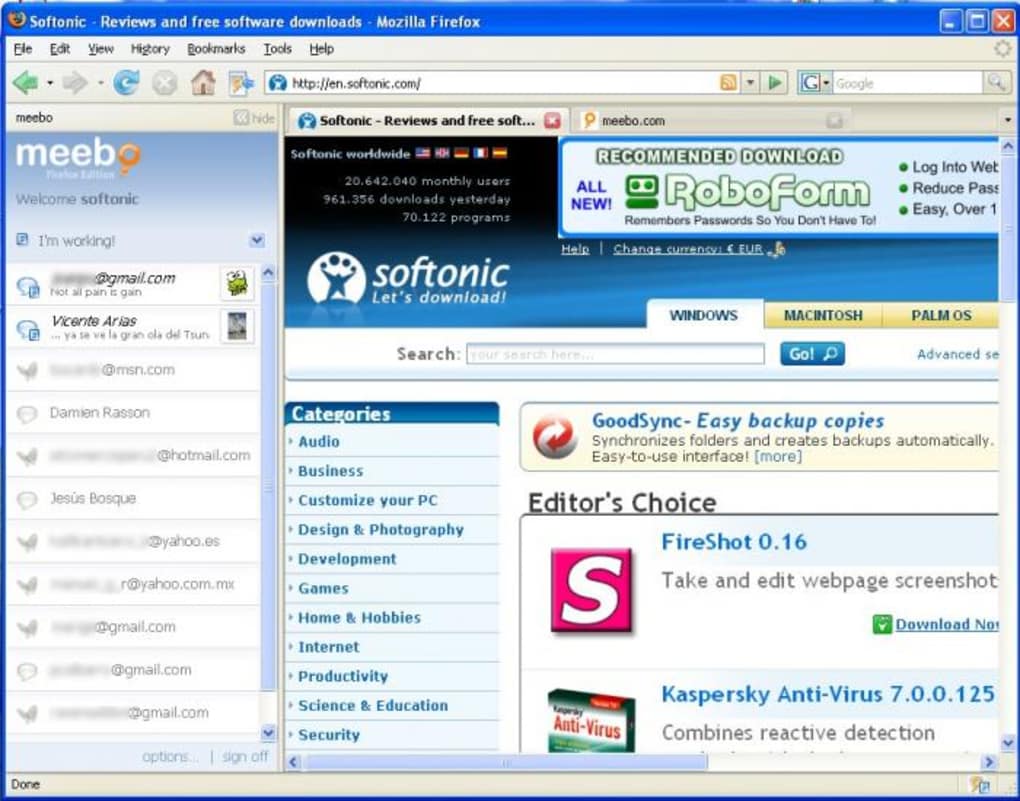
Meebo Firefox Add‑on brings the power of the popular web‑based instant‑messaging hub directly into your Firefox browser. By embedding Meebo’s multi‑network chat interface into a convenient sidebar, the add‑on eliminates the need to keep a separate web tab open while you browse. Whether you’re a casual user who only needs a single network or a power user juggling Facebook Chat, Google Talk, AOL AIM, Yahoo! Messenger and more, this extension streamlines conversations without sacrificing the familiar Firefox experience.
One of the most compelling aspects of the Meebo add‑on is its flexibility around account creation. You can start chatting instantly without registering a Meebo account, making the tool ideal for quick, ad‑hoc conversations. If you do decide to sign up, Meebo synchronizes all of your contacts across supported networks, presenting a unified buddy list that lives in the sidebar. This means you can see offline friends, status updates, and group chats all in one place, just as you would on the full‑screen Meebo web app.
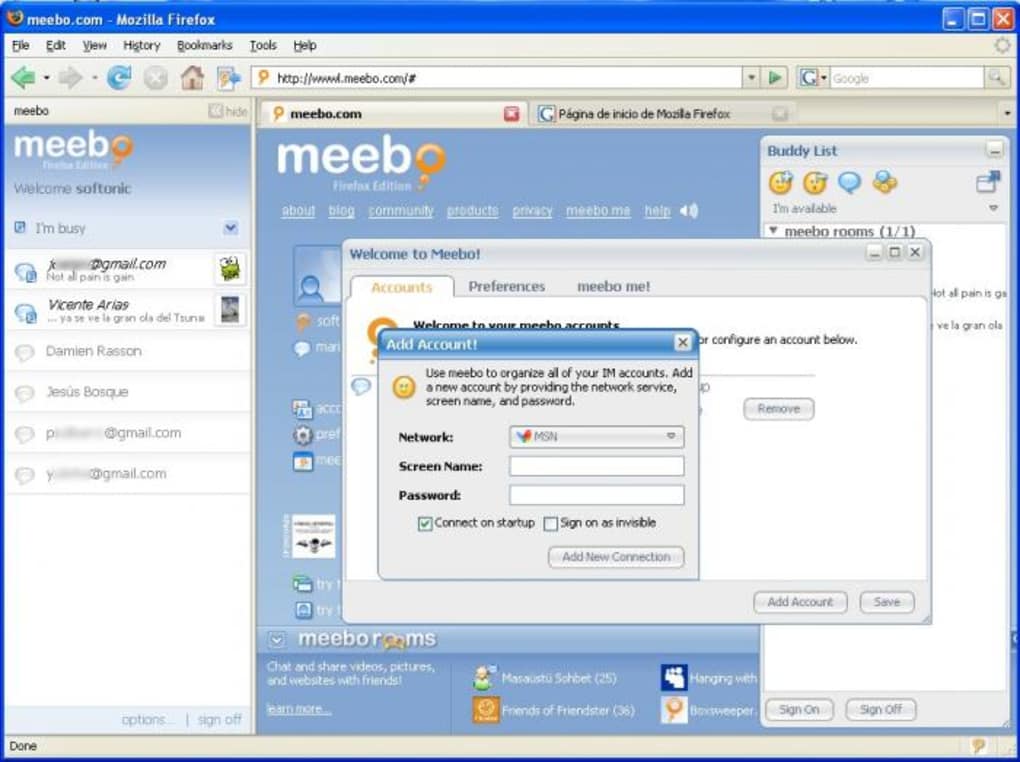
While the add‑on delivers solid functionality, it is not without quirks. Users cannot log into multiple IM services simultaneously from the sidebar; instead, they must open the main Meebo page to add or switch accounts. Additionally, the extension requires the Meebo tab to remain open in the background, which can be a minor annoyance for those who prefer a truly lightweight solution. Despite these limitations, Meebo for Firefox remains a valuable tool for anyone who wants to keep instant messaging tightly coupled with their web‑browsing workflow.
Key Features
- Unified Sidebar Interface – Access all connected IM networks from a single, collapsible panel within Firefox.
- Zero‑Registration Start – Begin chatting immediately without creating a Meebo account; optional sign‑up unlocks full contact aggregation.
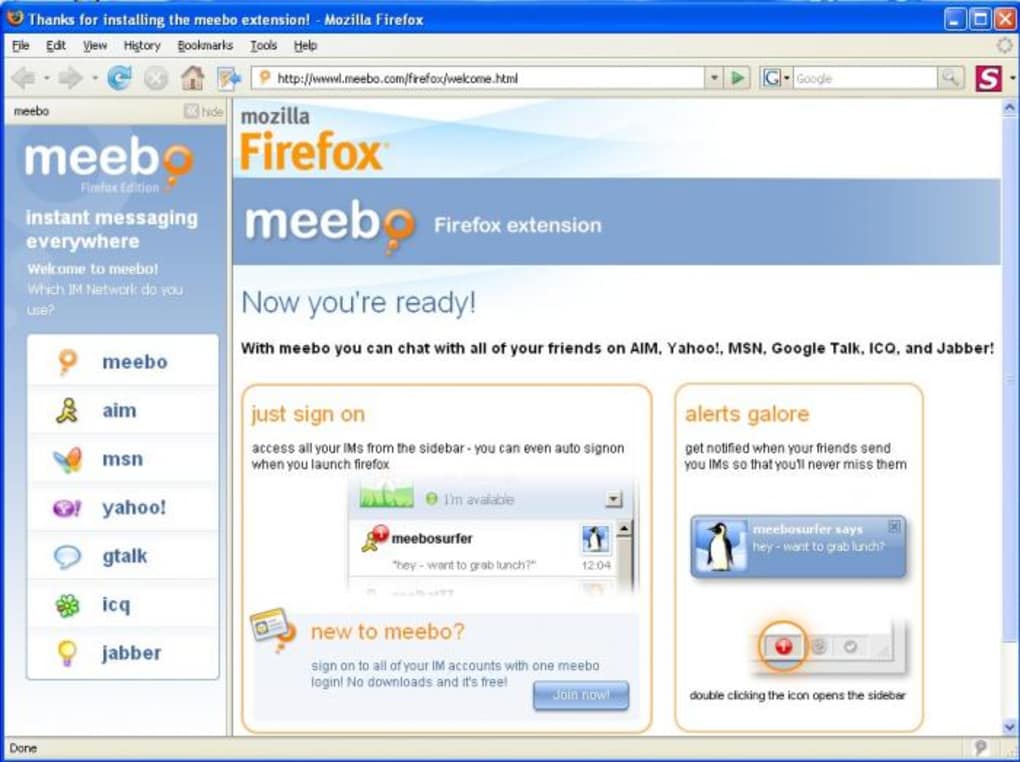
- Multi‑Network Support – Compatible with major services such as Facebook Chat, Google Talk, AOL AIM, Yahoo! Messenger, and more.
- Real‑Time Presence – View buddy status (online, offline, away) instantly as contacts update across networks.
- Inline Chat Windows – Open private conversations directly in the sidebar, keeping the main browser window free for other tasks.
- Customizable Notifications – Choose sound alerts, visual cues, or silent mode for incoming messages.
- Lightweight Design – Minimal impact on browser performance; the add‑on loads quickly and runs smoothly on modern hardware.
- Secure Communication – All chat traffic is encrypted via HTTPS, ensuring privacy while using public or shared connections.
Installation & Usage Guide
Getting Meebo Firefox Add‑on up and running is straightforward. First, open Firefox and navigate to the official Mozilla Add‑ons site. Search for “Meebo” or follow the direct link provided by Meebo’s website.
Click the Add to Firefox button, then confirm the installation when prompted. Firefox will download the extension package, verify its signature, and automatically integrate it into your browser. After the installation completes, you’ll see a new Meebo icon appear on the toolbar.
To activate the sidebar, click the Meebo icon. A pane slides out from the right side of the browser, displaying the Meebo interface. If you’re new to Meebo, you can start a conversation by selecting the “Sign in” button and entering credentials for a single IM service. The add‑on will remember your login details for future sessions, eliminating repetitive sign‑ins. For users with an existing Meebo account, click “Log in” and provide your Meebo username and password; the sidebar will then populate with contacts from all linked networks.
Using the sidebar is intuitive: click a contact’s name to open a chat window, type your message, and press Enter. You can also right‑click a buddy for quick actions such as “Send File,” “View Profile,” or “Block.” The toolbar at the top of the sidebar lets you switch between networks, adjust notification settings, and access Meebo’s full web version if you need advanced features like group chats or file sharing.
When you’re finished, simply close the sidebar by clicking the Meebo icon again. The extension will remain installed, and your login sessions persist unless you manually log out or clear Firefox’s cache. For optimal performance, keep the Meebo tab open in the background as recommended by the developers; this ensures that status updates and incoming messages are delivered without delay.
Compatibility, Performance & System Requirements
Meebo Firefox Add‑on is built specifically for the Mozilla Firefox browser and works on Windows, macOS, and Linux platforms that support Firefox version 78 or later. The extension leverages modern web technologies (HTML5, CSS3, and JavaScript) and therefore requires a relatively recent operating system and browser version to function correctly.
Performance tests show that the add‑on consumes an average of 30 MB of RAM while active, a modest footprint compared to many full‑featured chat clients. CPU usage remains low during idle periods, spiking only briefly when new messages arrive or when contacts change status. Users with older hardware should still experience smooth operation, provided they run a supported version of Firefox and keep their operating system up to date with the latest security patches.
Because the add‑on communicates over HTTPS, it works reliably on both wired and wireless networks, including public Wi‑Fi hotspots. However, corporate firewalls that block certain IM ports may restrict some services (e.g., AOL AIM) from connecting. In such cases, users can still access the other supported networks without issue.
The add‑on is free to download and use. No hidden fees, subscription plans, or in‑app purchases are required. The only optional cost is a Meebo account, which is also free and provides additional convenience features like contact aggregation and history syncing across devices.
Pros and Cons
Pros
- Integrates instant messaging directly into Firefox’s UI, reducing tab clutter.
- Supports multiple major IM networks from a single sidebar.
- Free to download and use; no mandatory account creation.
- Secure HTTPS communication protects privacy.
- Lightweight and fast, with minimal impact on system resources.
- Customizable notifications and appearance settings.
Cons
- Cannot log into multiple networks simultaneously from the sidebar; must use the full Meebo page for additional accounts.
- Requires the Meebo tab to stay open in the background for real‑time updates.
- Limited feature set compared to the full web application (no group chat creation from the sidebar).
- Occasional UI glitches on high‑resolution displays.
- Relies on Firefox; no support for Chrome, Edge, or other browsers.
Meebo Firefox Add‑on delivers a solid, integrated chat experience for users who live inside their browser. While it lacks some advanced capabilities of the full Meebo site, its ease of use, security, and cross‑network support make it a valuable addition for anyone looking to stay connected without juggling separate tabs or apps.
Frequently Asked Questions
Do I need a Meebo account to use the Firefox add‑on?
No. You can start chatting instantly without an account. Creating a Meebo account is optional and only needed if you want to see contacts from multiple networks in the sidebar.
Which instant‑messaging services are supported?
Meebo supports major services such as Facebook Chat, Google Talk (Hangouts), AOL AIM, Yahoo! Messenger, and a few other web‑based IM platforms. The exact list may change as services evolve.
Can I log into two accounts from the same network simultaneously?
The sidebar does not allow multiple simultaneous logins for the same network. To use a second account, open the full Meebo web page, log in there, and the sidebar will reflect the additional contacts.
Is the add‑on compatible with the latest Firefox releases?
Yes. The extension works with Firefox version 78 and newer on Windows, macOS, and Linux. Keep Firefox updated for the best security and performance.
Does the add‑on consume a lot of system resources?
It is lightweight, typically using around 30 MB of RAM while active and very low CPU during idle periods. It is suitable for most modern computers, even those with modest specifications.
Conclusion & Call to Action
Overall, the Meebo Firefox Add‑on offers a practical solution for users who want instant messaging woven directly into their browsing experience. Its free price tag, secure HTTPS connection, and support for multiple major chat networks make it a compelling choice for anyone looking to reduce tab clutter and stay in touch while navigating the web. Although the need to keep the Meebo tab open and the limitation on simultaneous logins can be irritating, these drawbacks are outweighed by the convenience and speed the add‑on provides.
If you spend a lot of time in Firefox and value quick access to your chat contacts, give the Meebo add‑on a try today. Download the Meebo Firefox Add‑on now and enjoy seamless, secure messaging without ever leaving your favorite browser.







